Manage Kubernetes Clusters with Confidence
A powerful web-based platform for managing multiple Kubernetes clusters. AI-powered diagnostics, Helm management, real-time monitoring, and a built-in web terminal — all from a single dashboard.
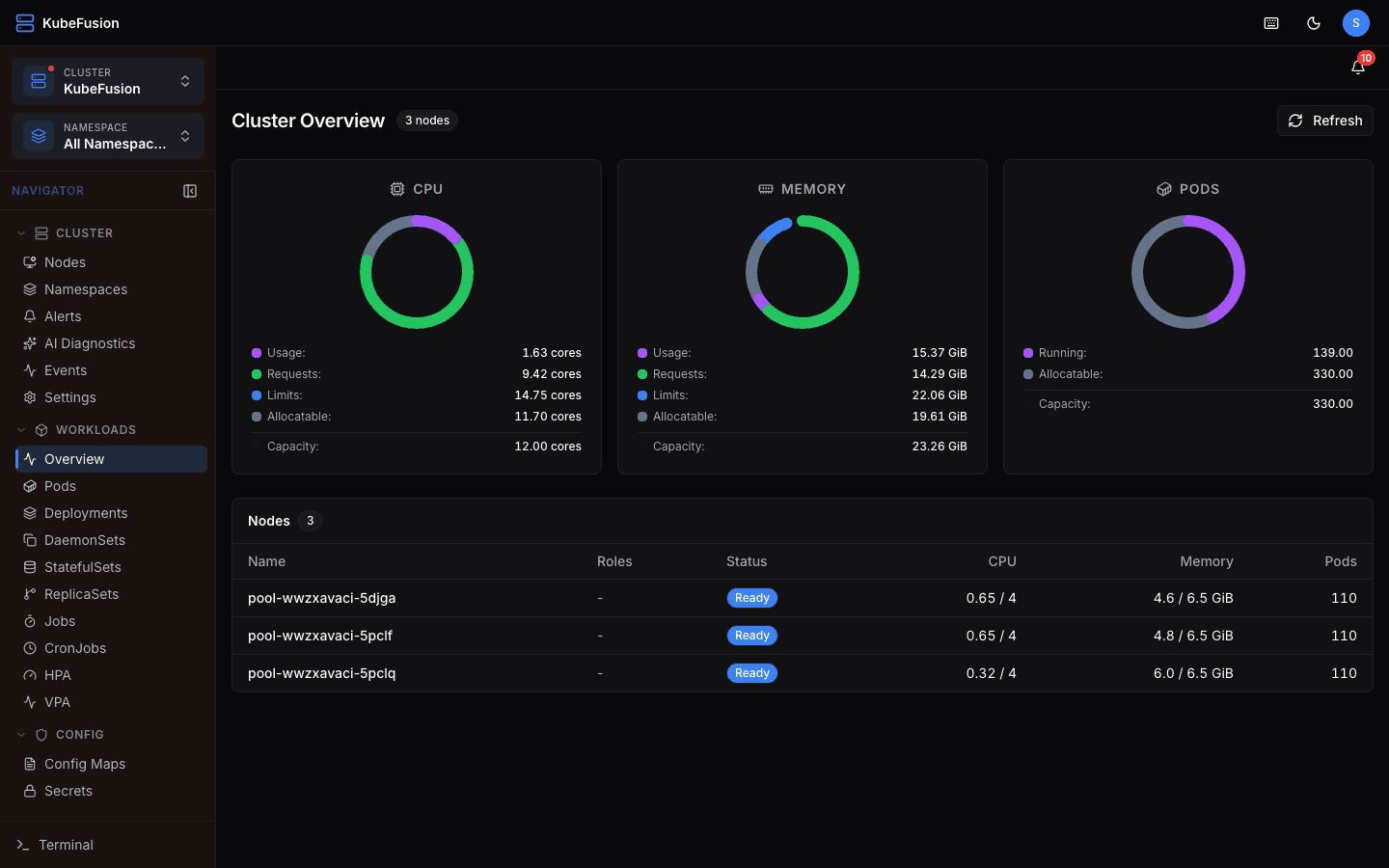
Everything You Need to Manage Kubernetes
Built for teams who need full visibility and control over their Kubernetes infrastructure.
Multi-Cluster Management
Connect and manage multiple Kubernetes clusters from a single dashboard. Upload kubeconfig or paste YAML — auto-split contexts. Color-code clusters for easy identification.
Resource Browser
Browse all Kubernetes resources — Workloads, Config, Network, Storage, Policy, RBAC, and Custom Resources. Server-side pagination, search with regex support, and auto-refresh.
Resource Operations
Create resources via Monaco YAML editor with templates. Edit, delete, batch operations (up to 50), dry-run with visual diff preview, scale, restart, and rollback.
Pod Management
Real-time log viewer with ANSI color support, interactive shell via xterm.js terminal, per-pod CPU/memory metrics via Prometheus, and container status monitoring.
Web Terminal
Built-in kubectl terminal accessible from anywhere. Multiple tabs, resizable panel, command history, and AI-suggested command execution with confirmation.
Helm Management
Browse releases, edit values in YAML editor, view revision history, one-click rollback, upgrade with modified values, and uninstall — all from the UI.
AI Diagnostics
Per-cluster AI analysis with OpenAI or Anthropic. Chat interface with streaming responses, alert root cause analysis, resource misconfigurations detection, and kubectl command suggestions.
Metrics & Monitoring
Prometheus integration with auto-detection. Cluster, namespace, pod, and workload metrics. Interactive charts with time range selector (1h to 24h).
Global Search
Cmd+K command palette for instant cross-resource search across all namespaces. Debounced input, quick navigation to resource details.
Security & Access Control
2FA (TOTP), API tokens with SHA-256 hashing, per-cluster ACL with namespace restrictions, rate limiting, kubeconfig encryption (AES-256-GCM), and security headers.
Audit Logging
Every write operation logged automatically — user, action, resource, cluster, IP, and timestamp. Admin dashboard with activity charts and access matrix.
Alert System
Auto-detect CrashLoopBackOff, OOMKilled, node pressure, and warning events. Severity-coded alerts with AI diagnosis. Auto-polling every 30 seconds.
Built for Real-World Kubernetes Operations
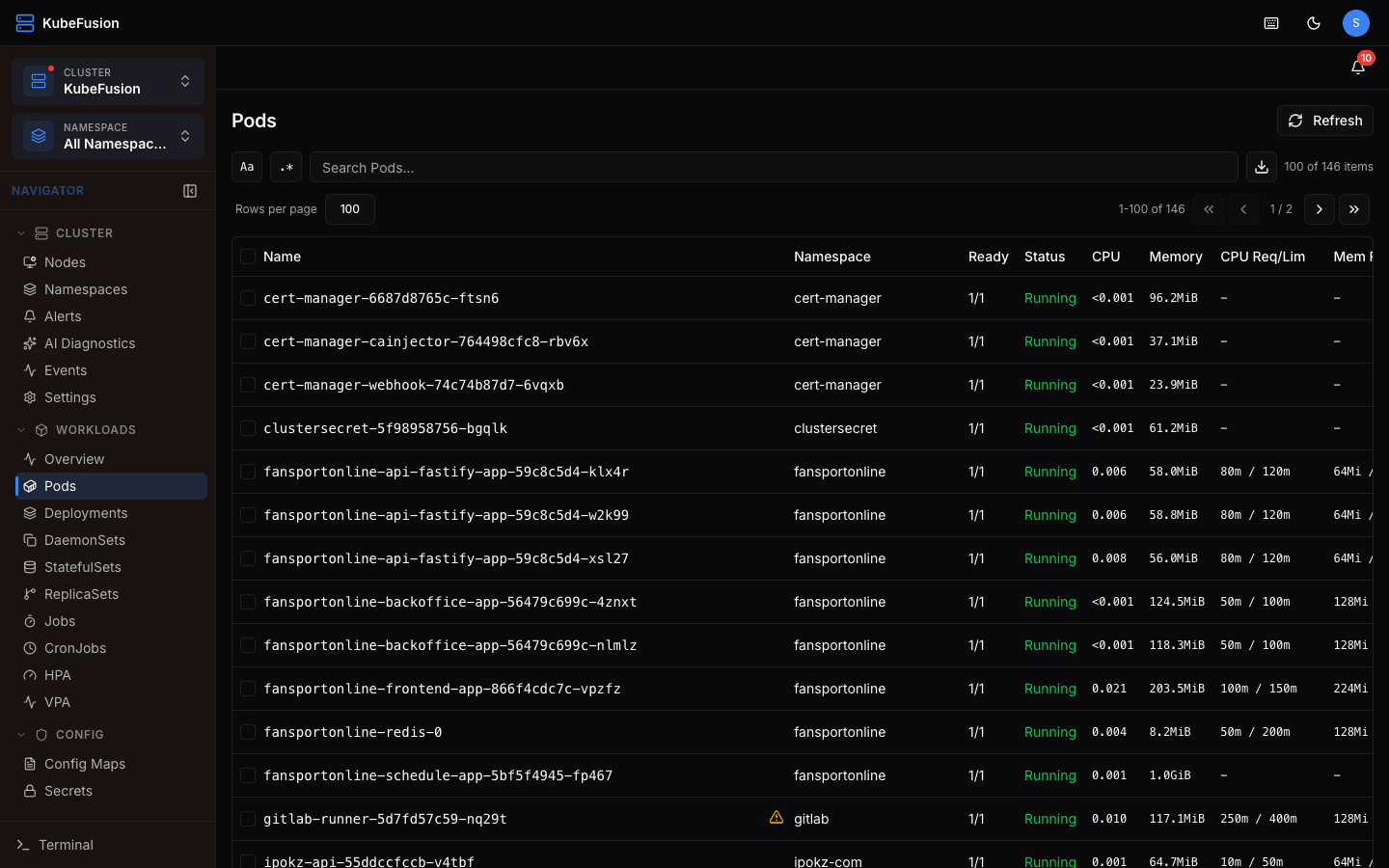
Color-Coded Multi-Cluster
Assign colors to clusters — red for production, green for staging. Sidebar tints dynamically to match the active cluster. Switch between clusters instantly with the cluster dropdown.
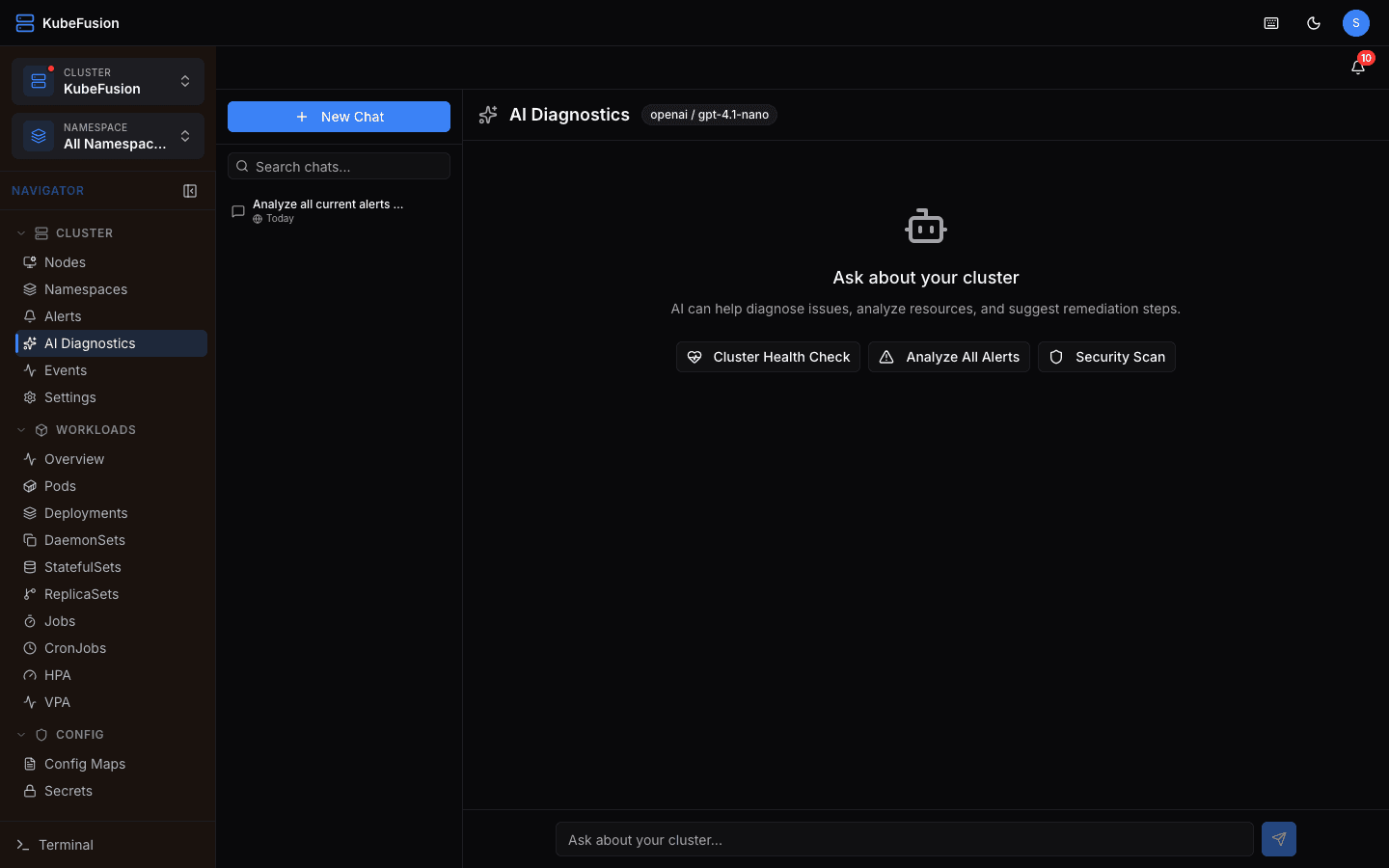
AI-Powered Diagnostics
Chat with AI about your cluster. Get root cause analysis for alerts, resource misconfigurations, and remediation steps. AI-suggested kubectl commands run directly in the terminal with confirmation.
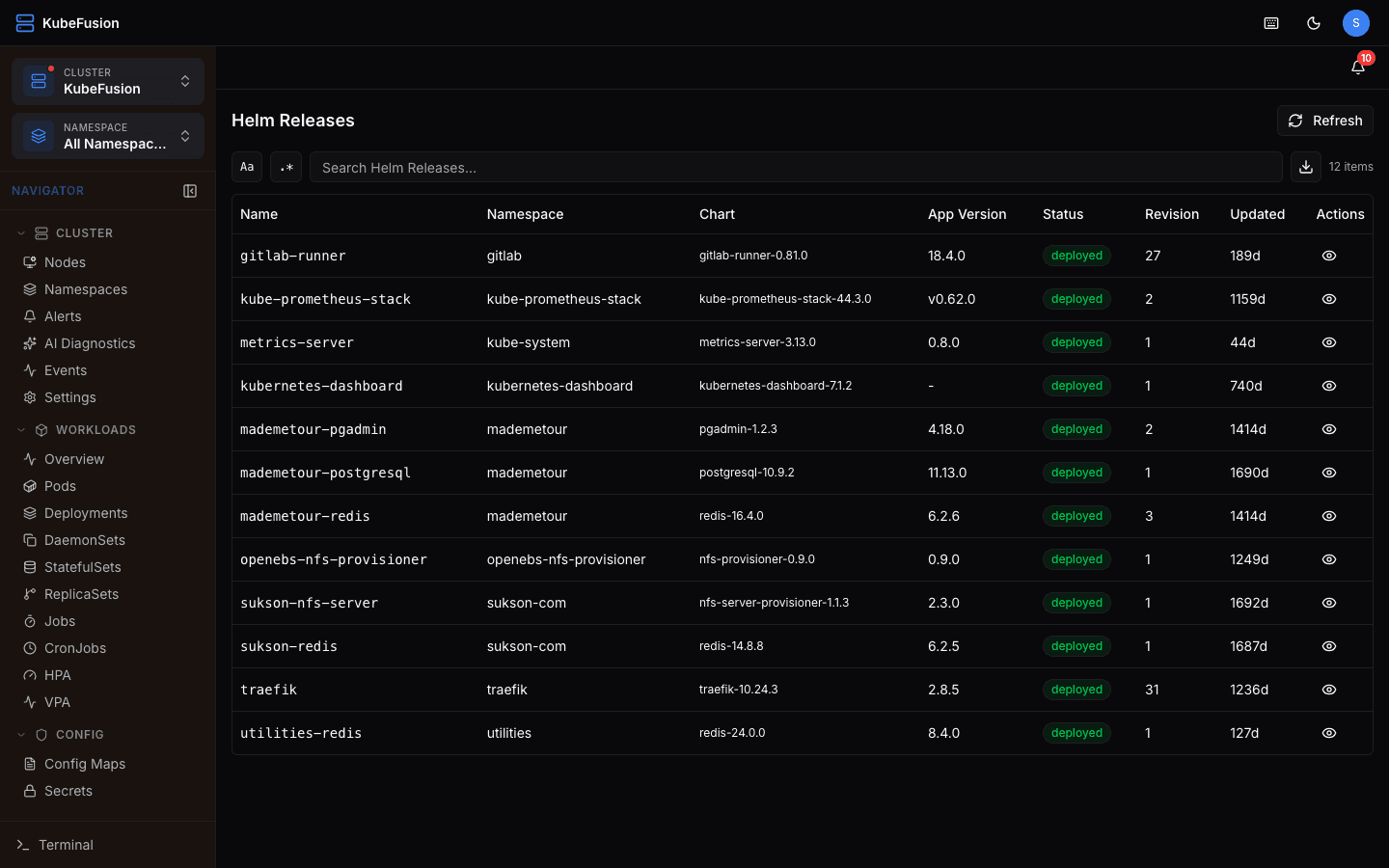
Full Resource Lifecycle
Create resources with YAML templates, edit with syntax highlighting, batch delete/restart up to 50 resources at once. Preview changes with server-side dry-run and visual diff before applying.
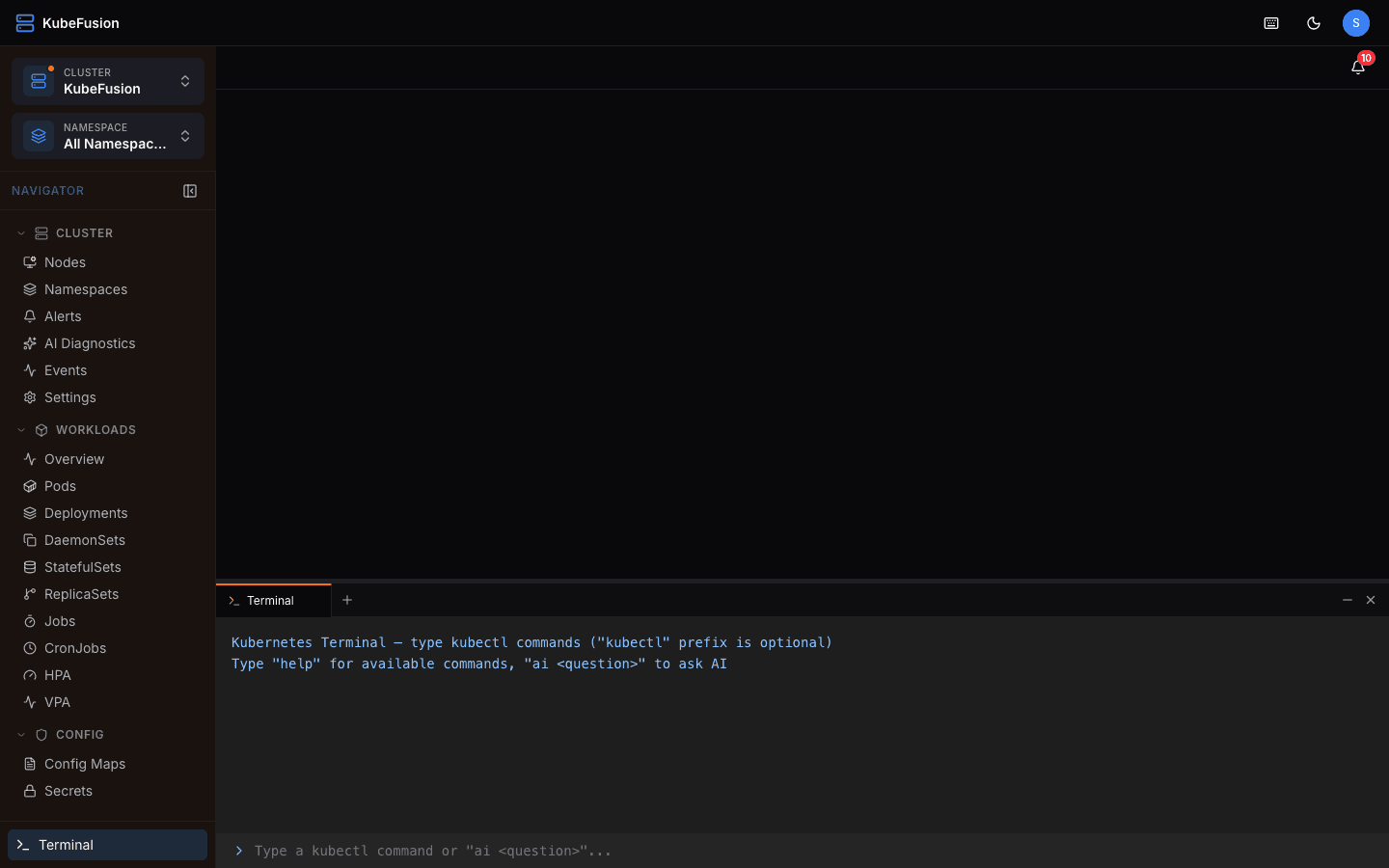
Built-in Web Terminal
Access kubectl directly from the browser. Open multiple terminal tabs, resize the panel, browse command history, and execute AI-suggested commands with confirmation — no SSH required.
Simple, Transparent Pricing
All plans include Helm, Custom CRDs, Custom Domain, and Metrics.
Included in all plans
FAQ
Frequently Asked Questions
Everything you need to know about KubeFusion. Can't find the answer? Contact our support team.
KubeFusion is a web-based Kubernetes management platform that lets you manage multiple clusters from a single dashboard. It provides resource browsing, Helm management, AI diagnostics, real-time monitoring, a web terminal, and comprehensive security features.
Upload your kubeconfig file or paste the YAML directly. KubeFusion auto-splits multi-context kubeconfigs into separate cluster entries. All kubeconfigs are encrypted with AES-256-GCM and never sent to the browser.
Each cluster can be configured with an OpenAI or Anthropic API key. The AI analyzes alerts, resource configs, pod logs, and events to provide root cause analysis and remediation steps. Sensitive data like Secrets is automatically redacted before sending.
Kubeconfigs are encrypted with AES-256-GCM. Passwords use bcrypt (12 rounds). API tokens are stored as SHA-256 hashes. All Kubernetes operations are server-side — nothing sensitive reaches the browser. Rate limiting and brute force protection are built in.
Yes. KubeFusion provides full Helm management — browse releases, edit values, view revision history, rollback to previous versions, upgrade, and uninstall. All from the web interface.
Yes. KubeFusion has a built-in kubectl web terminal you can open from the sidebar or with Ctrl+`. It supports multiple tabs, resizable panels, command history, and you can even execute AI-suggested commands directly from the terminal with a confirmation step.
Ready to Simplify Kubernetes Management?
Start managing your clusters in minutes. 7-day free trial with no credit card required.
Start Free Trial